My favorite updates from Fusion Sales 25A
Fusion Sales
Blog Owner and Author:
Cesar Guerrero
Preparation
I am currently Preparing for the Delta exam for Fusion Sales, Sales Force Automation. As I review the documentation and study materials I will be going through past releases and list out some of my favorite updates. Today I wanted to share my overall favorite updates from 25A. For a full list of features please refer to: https://docs.oracle.com/en/cloud/saas/readiness/sales/25a/sfau-25a/25A-sf-automation-wn-t65288.htm#Give-us-feedback
Adjust Column Widths to Fit in Screen in Redwood List Pages
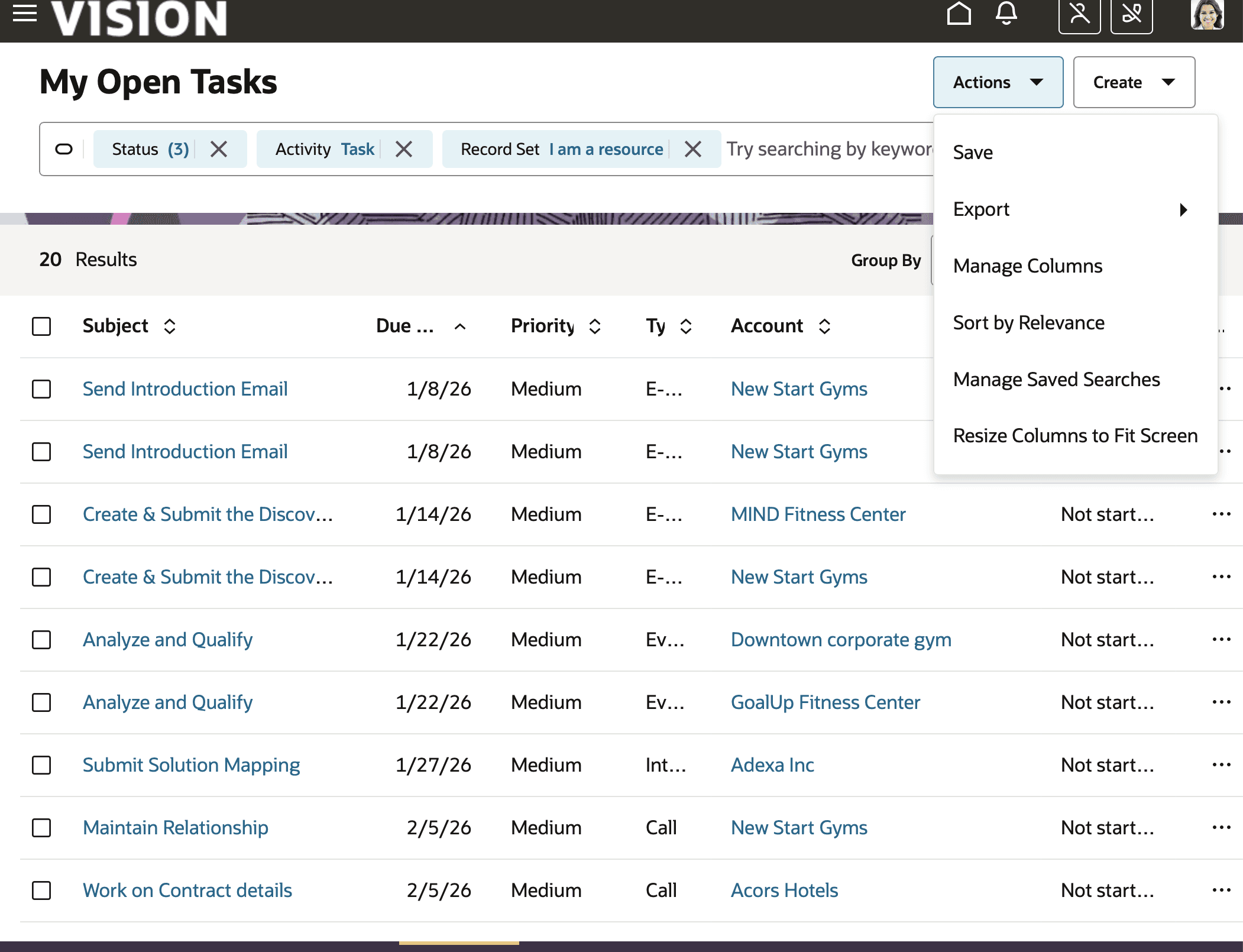
This is a simple feature but as someone who uses different monitors and needs to adjust my view constantly. This feature allows users like myself see data in redwood fields without having to adjust every column manually. To do this a use needs to click actions button on the search page. Then select the action resize columns to fit screen. No configuration needed from the admin side.
For more details refer to: https://docs.oracle.com/en/cloud/saas/readiness/sales/25a/sfau-25a/25A-sf-automation-wn-f36521.htm#sfau-25a-f36521
Manage Generative AI Features using Setup UI
This item was something I thought was already available, but because it wasn't I am glad it is now! Why is this important? With Gen AI features being at the forefront of the most recent updates. It is important to manage what users are able to do with it. I believe this allows admins to do that. Enabling features when it makes sense for the business. Although everyone loves new features I personally don't think giving users every feature is good. For a good user experience sometimes less is more and this allows business to mitigate Gen AI. How do we enable this feature:
First ensure that the business has opted in from the sales offering. There should be an offering called "Use Generative AI Features in Sales" ensure that it is enabled.
Next in setup and Maintenance, find the "Intelligence" in the Sales task. Select Configure Recommended Features Go to Enable Generate AI Features in CX Sales. You will then be prompted to manage Gen AI features.

For more details refer to: https://docs.oracle.com/en/cloud/saas/readiness/sales/25a/sfau-25a/25A-sf-automation-wn-f35736.htm#sfau-25a-f35736
Configure the purge criteria for the Activities
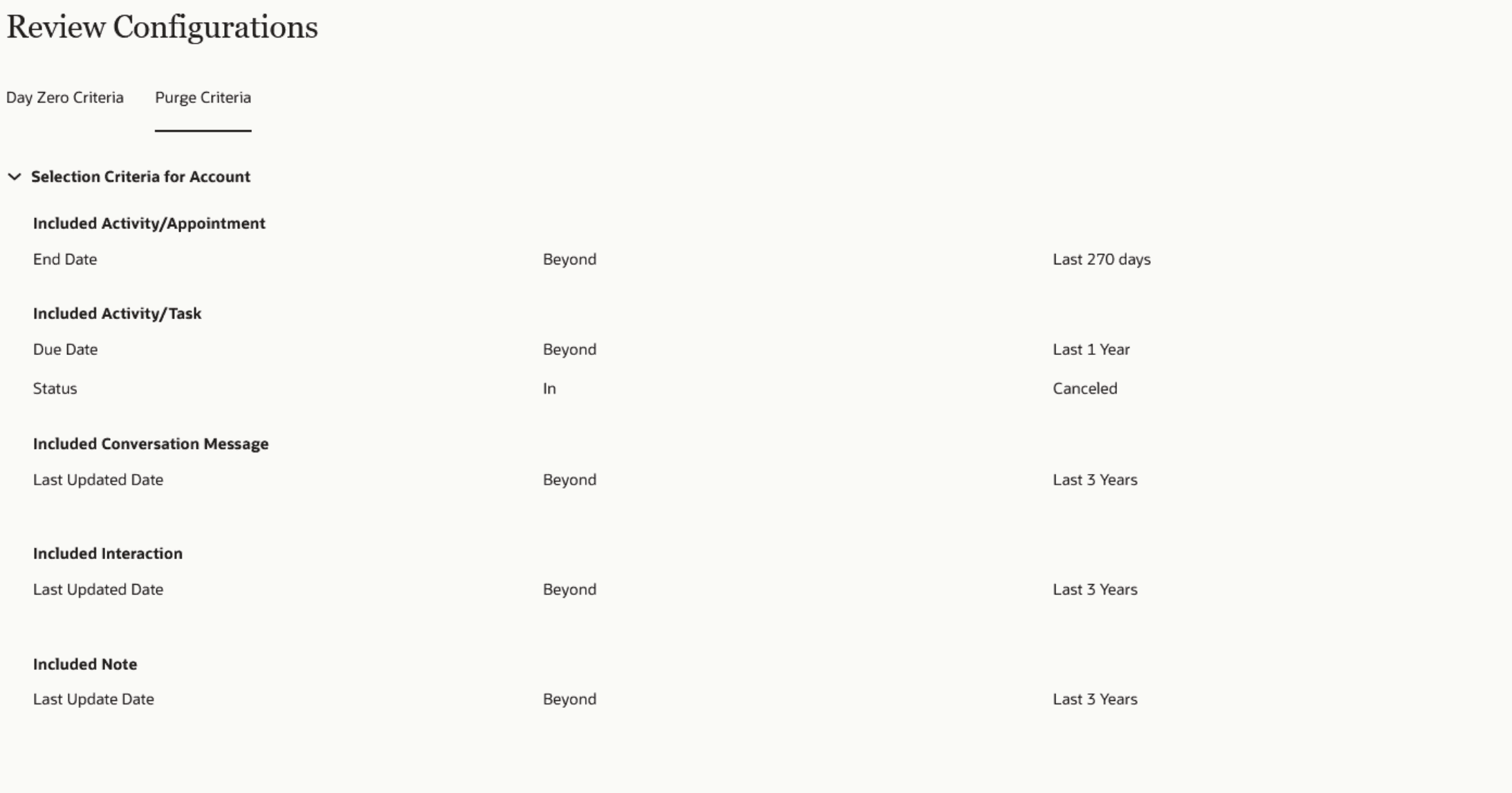
This is by far my favorite update for this release. To set this up from an administrators perspective there is no action needed. What I like about this feature is this allows clients to have another layer of control over their data. I have worked with businesses that usually want to do one of two things with old activity data. One, is keep it forever and always and two, set parameters to remove data that they will not use. With the ability to configure what gets purged with criteria like status, canceled and time criteria I think most clients will take advantage of this feature.
For more details refer to: https://docs.oracle.com/en/cloud/saas/readiness/sales/25a/sfau-25a/25A-sf-automation-wn-f35618.htm#sfau-25a-f35618
Although release 25A had many updates, most of them did not apply to past or current clients. In Oracle's feature summary documentation no update was identified as a large scale update. There were many other updates but these were just the ones that personally stood out to me. As I continue to work on my Delta certification for fusion sales I will continue my blog for my favorite updates.
Please refer to the documentation below to learn more about updates from 25A. https://docs.oracle.com/en/cloud/saas/readiness/sales/25a/sfau-25a/toc.htm