24C - My favorite key features
Fusion Service
Blog Owner and Author:
Cesar Guerrero
Why
Hi in this blog I will be sharing my favorite updates from 24C. As I continue to prepare for my delta exam, I wanted to review updates that have been released in Fusion service and items that I may have missed. This exercise has been beneficial to me as I am will also be starting a fusion service project soon. There are a variety of categories that have been updated in this release. I will be focusing around, work order management, analytics, and service request. Again, these are just my personal favorite updates, there are more and I would suggest referencing the 24C Fusion service release notes.
Work Orders
Access Groups
Access groups for service items like work orders adds a whole new layer of flexible security while staying within the bounds of Fusions security. This is probably my favorite update for this release. So how does it work? We can start by either creating a rule or access group.
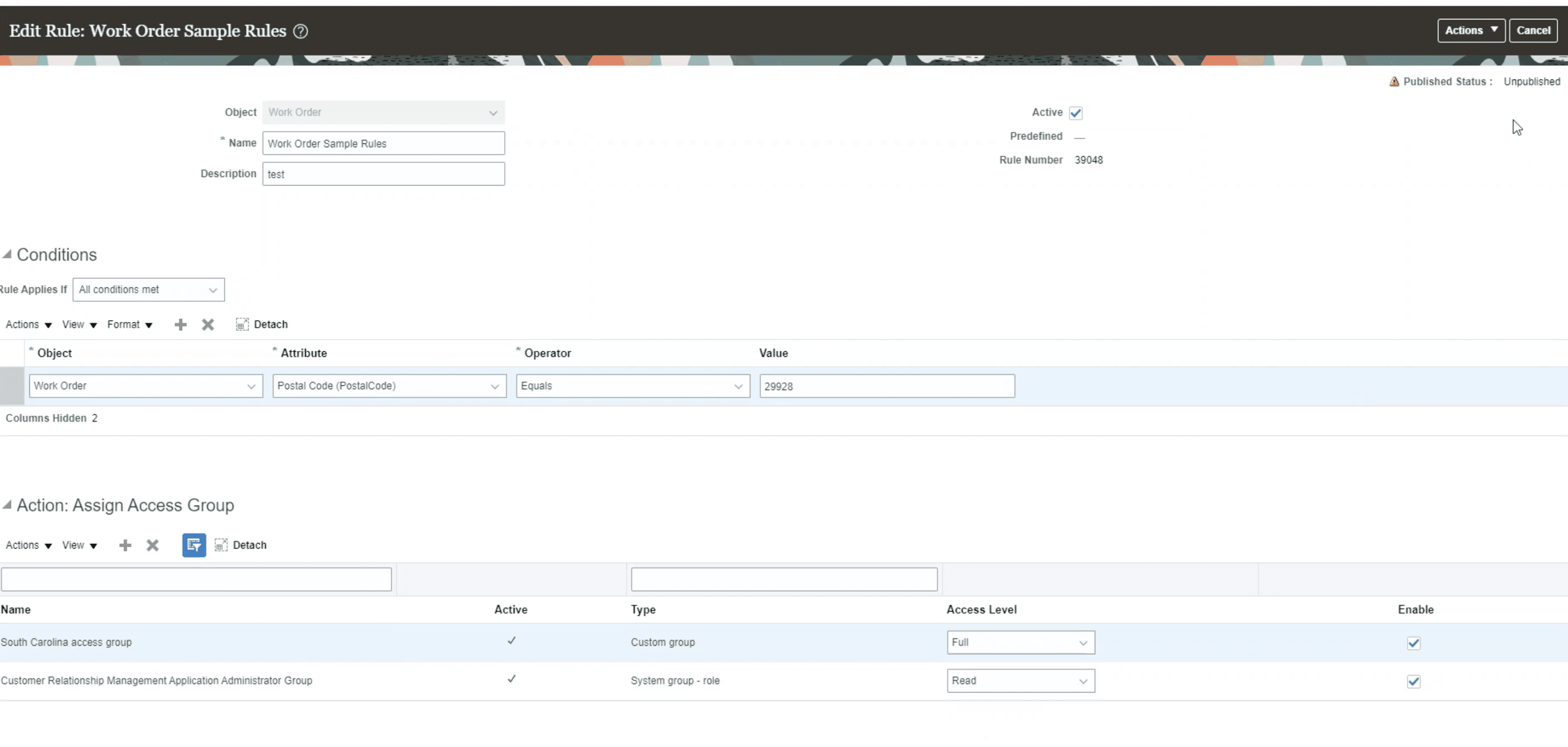
However, in the example below we have the object rule being created first. In the object rule area, we can configure rules based on an object, and attribute. Then based on the rule we can limit security access by giving access like read only (read) or full access (Full) as shown in the example.
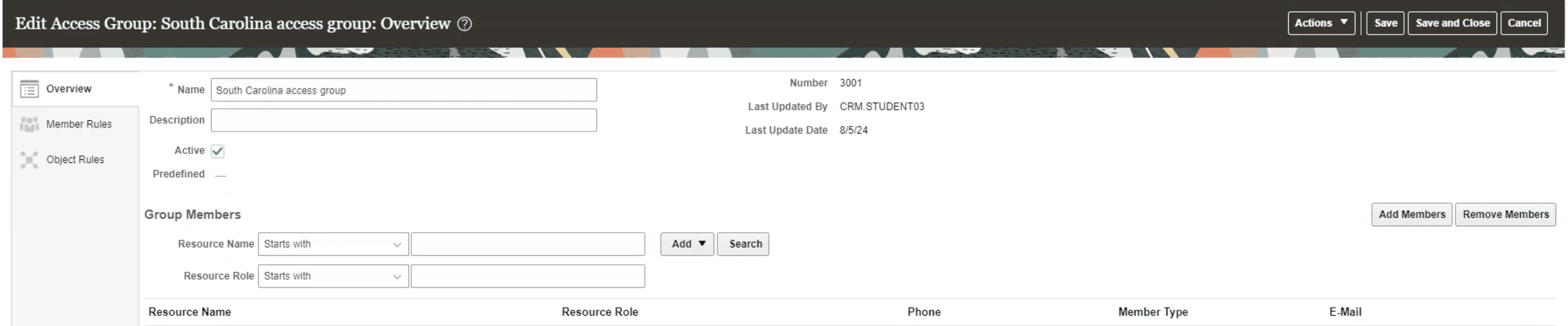
Upon creating an object rule we can create an access group. The image below demonstrates a newly created access group.
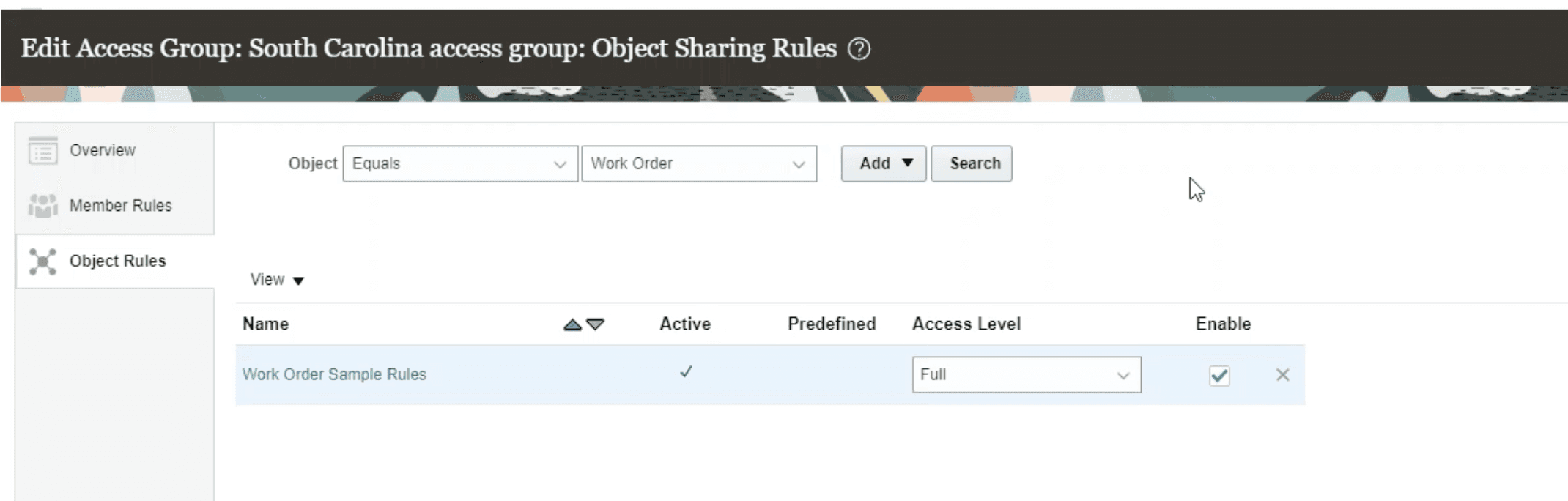
Upon creating the access group, you could add the new rule to the group.
Final thoughts
I see this as the best update during this release as objects like work orders will not need to rely on just a custom role to manage access but now there is the ability to manage additional security in a much easier way, access groups. This will allow users to create different groups based on specific criteria like an object or attribute and allow businesses to manage who can create, edit, or view specific data from service items like work orders.
Analytics
KPI Dashboards for Service Agents and Managers
Two new dashboards were made to aid Agents and Managers.
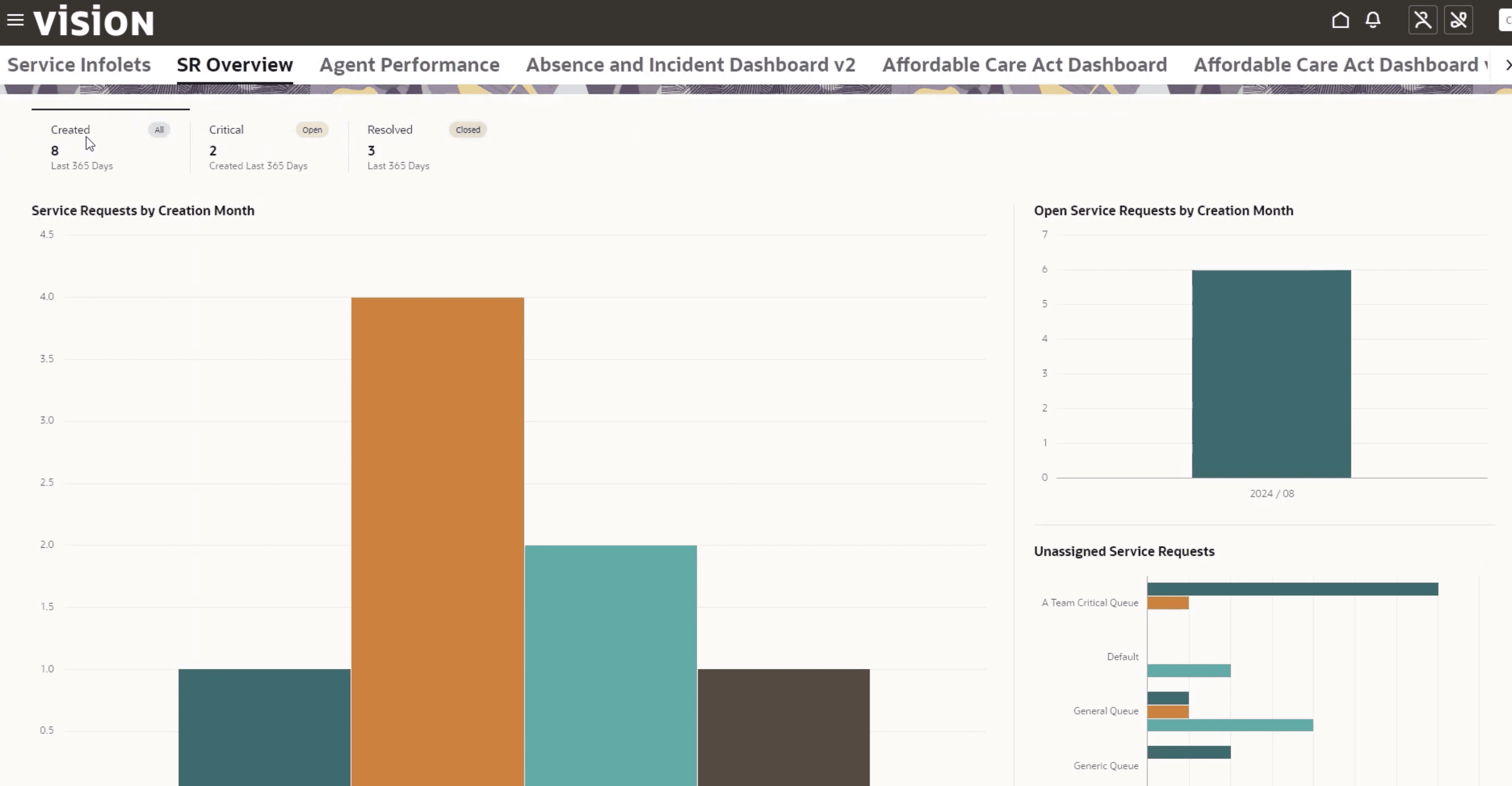
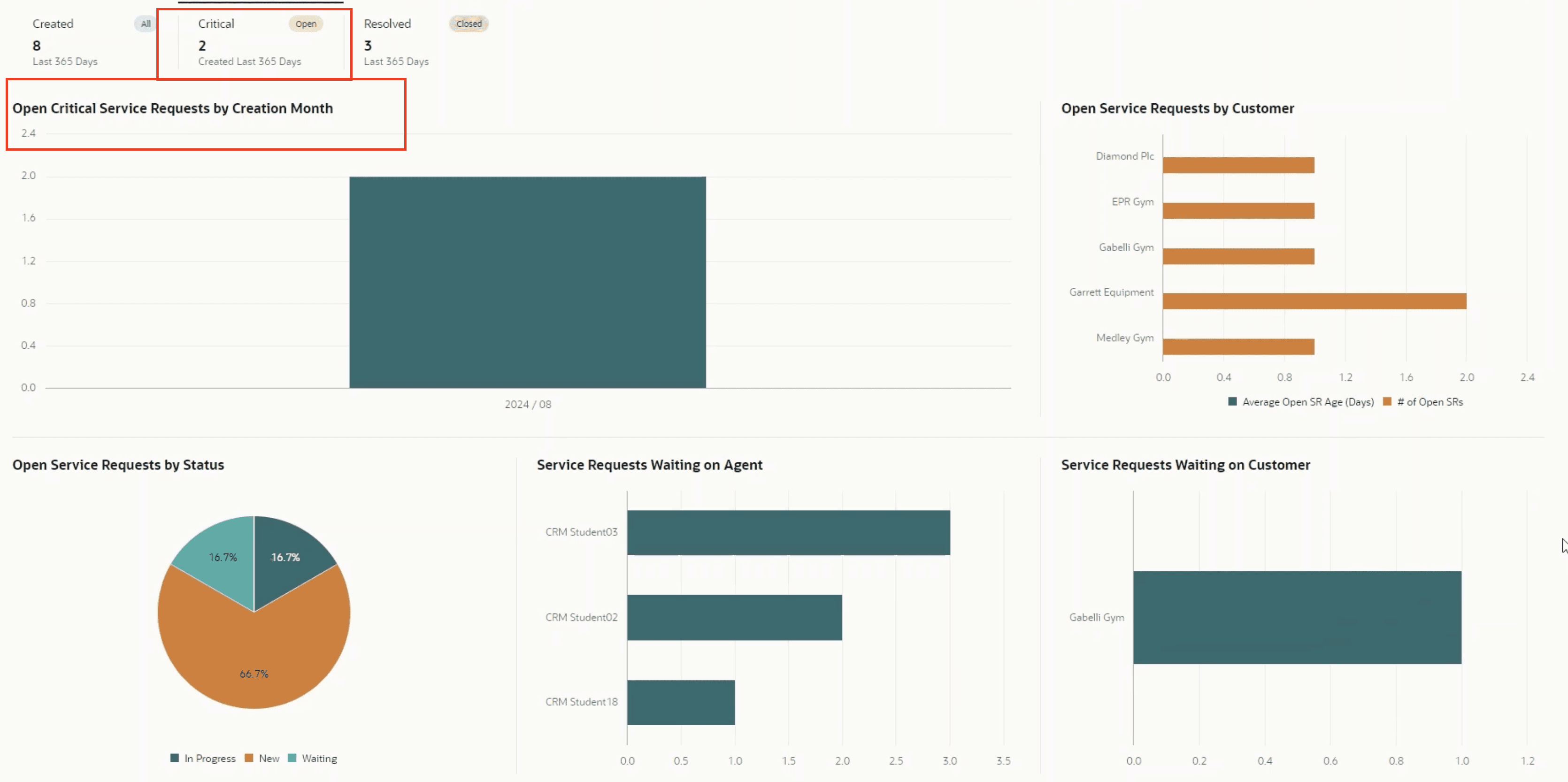
Service Overview: It helps identify patterns and trends for Service requests. It displays to users with the service representative view privilege
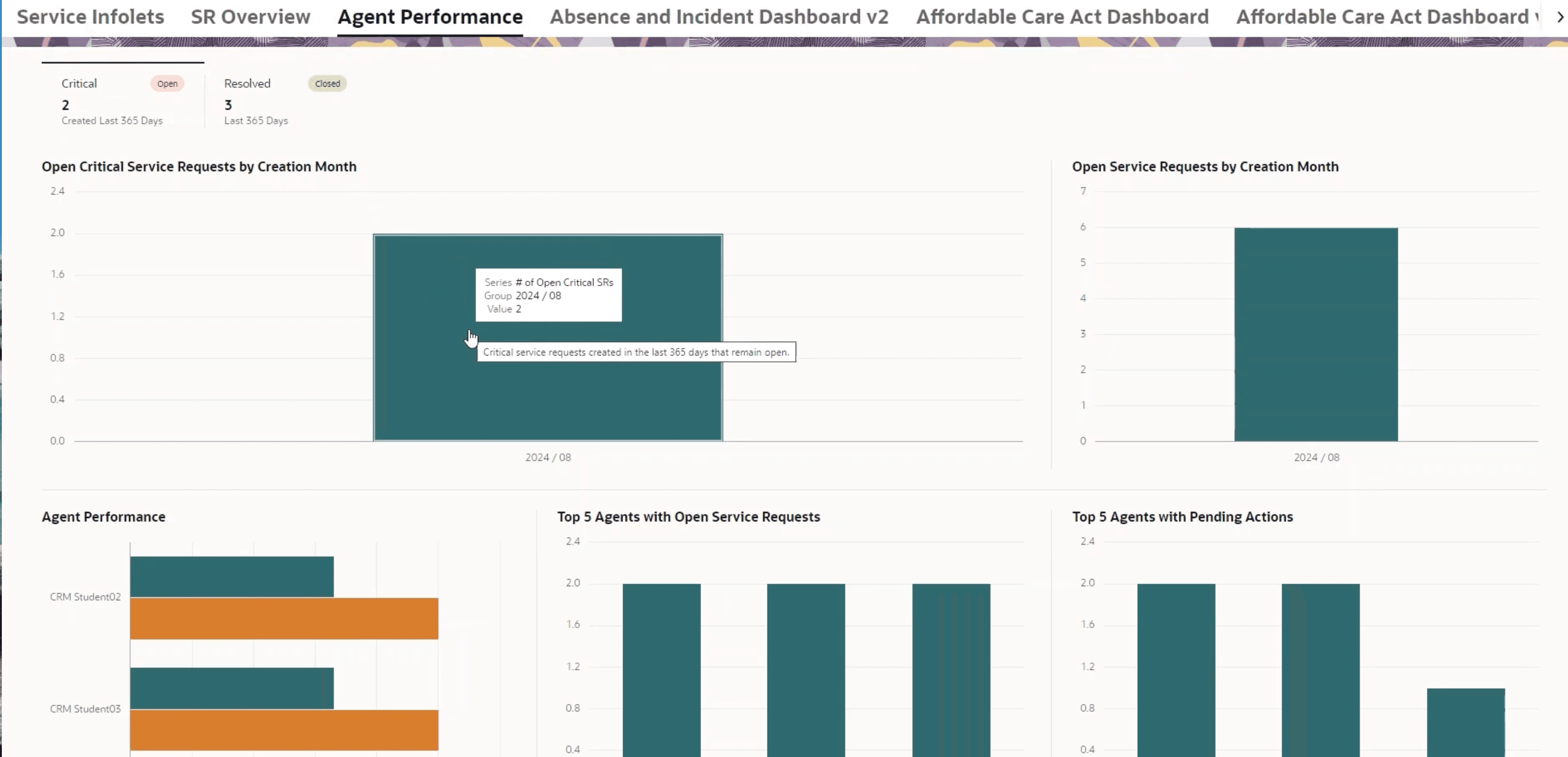
Agent Performance Dashboard: Will give managers detailed information on the throughout information for service reps. Users with the view service manager dashboard privilege.
There is no particular new configuration needed to use these dashboards. These dashboards can be seen by going into the service center. Then going into service infolets. At the top there will be tabs one with SR overview and the other with Agent Performance.
SR Overview
Within the dashboard users can click on created, critical or resolved to filter on the different types/statuses.
Agent Performance
Agent Performance has a similar look but is tailored for managers with metrics around agent performance like top 5 agents with open service request, Agent performance and Top 5 Agents with pending actions. Similar to the SR Overview dashboard managers can filter on critical and resolved SRs.
Final thoughts
The SR Overview and Agent Performance dashboard will benefit both user types. In the past I have had to make custom reports through OTBI or build from an existing report. However, adding these two new dashboards in an accessible manner where users can see the reports most valuable to them will be a huge win. Coming from Oracle I am excited to see how these continue to get refined and improved.
Service Channels: Telephony, Chat
Call Transcripts for Telephony partners
Live transcripts can be sent into a live call with this feature. So how does this work? Call transcripts are rendered in the call panel. In addition, voice to text needs to be converted by the telephony partner and pass the text in the call transcripts. This feature is limited to English and transcripts cannot be stored in fusion.
To enable, Partners need to enable the feature and subscribe on the TollbarAgentCommand. This is an API that tracks events. In order for this feature to work the telephony partner will need the ability to convert the voice to text data.
Final thoughts
I can see agents benefiting from this feature as they would be able to reference their current conversation with a customer. Although this truly relies on the partners ability to convert given the right provider is chosen this will add great value.
Service request.
Smart Actions in Action Plans
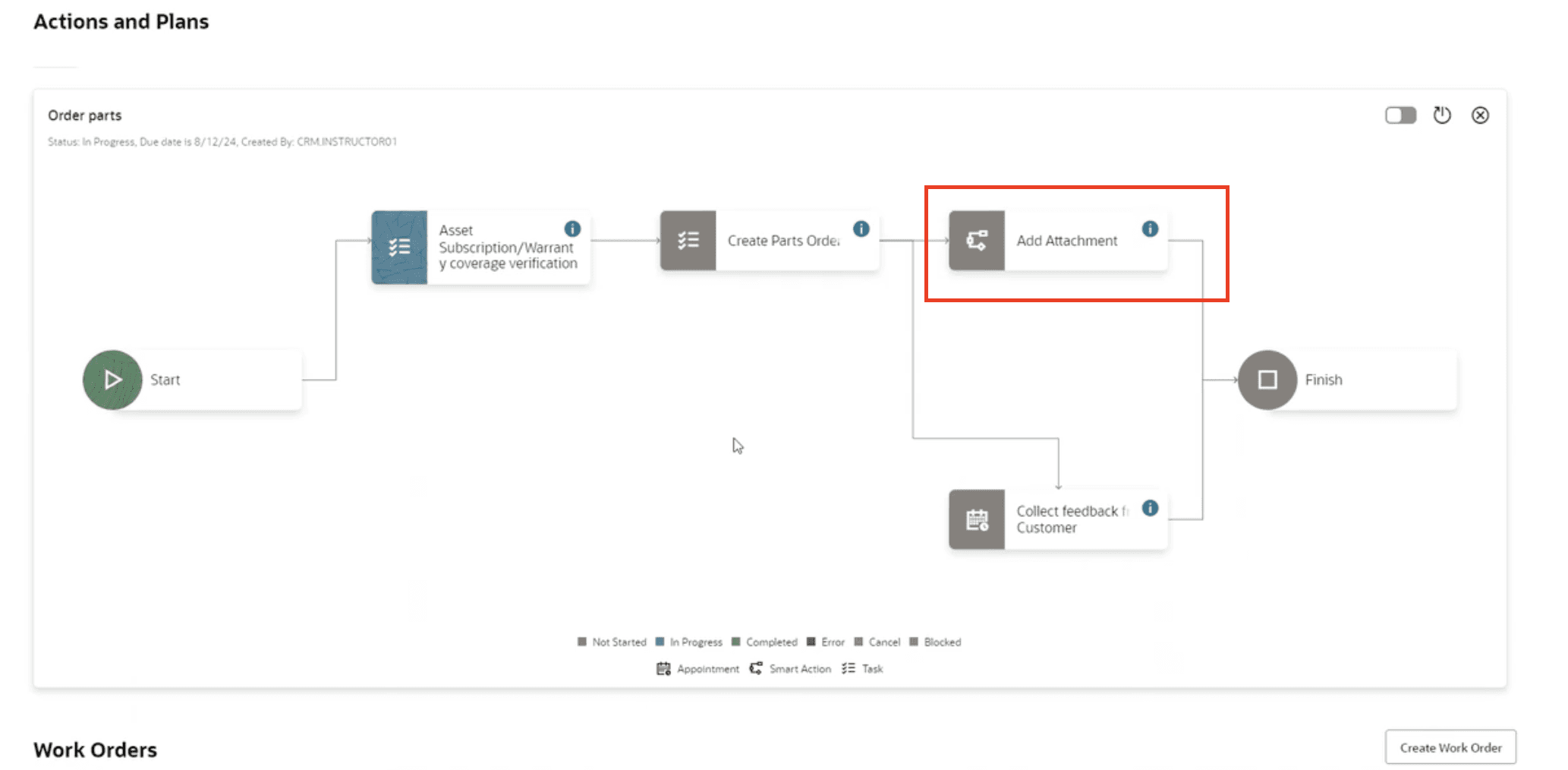
What's an action plan? An action plan is a sequence of steps that can be used to resolve a service request based on the category of the SR. A smart action are functions we see in the action bar that can call an action like navigate a user to another UI, Send Message, SR assignment. Below is an example of smart actions from the action bar.

There are no required actions to enable this feature. An admin would just need to add the smart action to an action plan in setup and maintenance. I would like to note that custom smart actions can also be made but would need to be completed in app composer instead of setup and maintenance. Below is an example of smart action being a created.
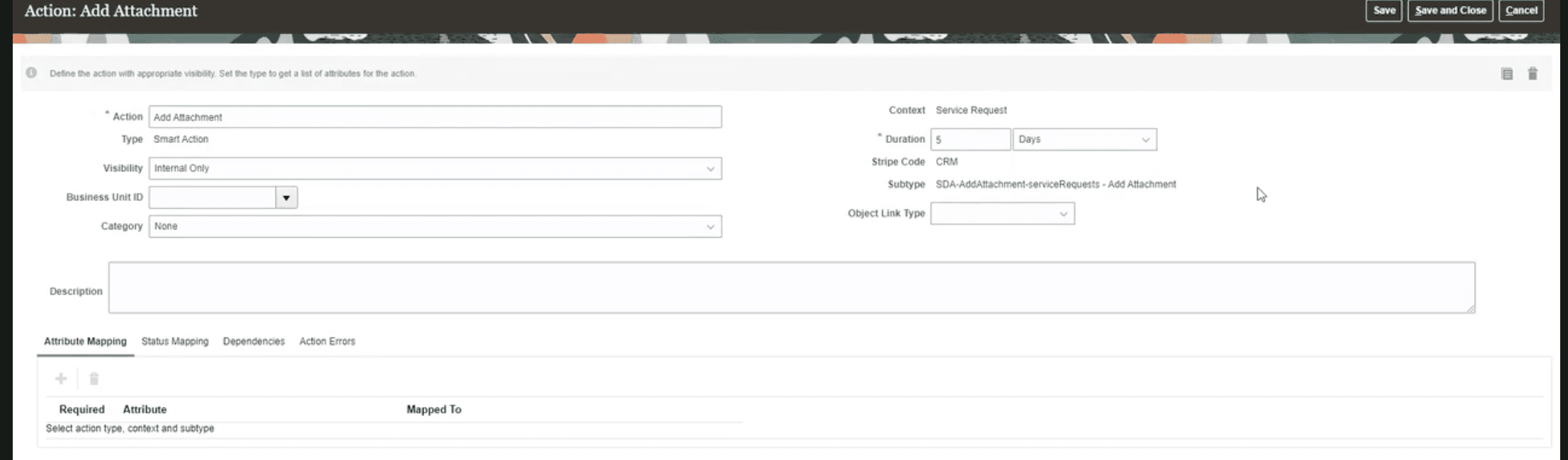
In the example below we can see how this smart action would support an action plan.
Final thoughts
Smart actions take action plans to the next level. Prior to these actions were limited to completed or treated as tasks. But with this added feature we can add additional actions like adding an attachment, navigating an agent to a new screen. This expands the flow we can support agents with to a new layer of support.
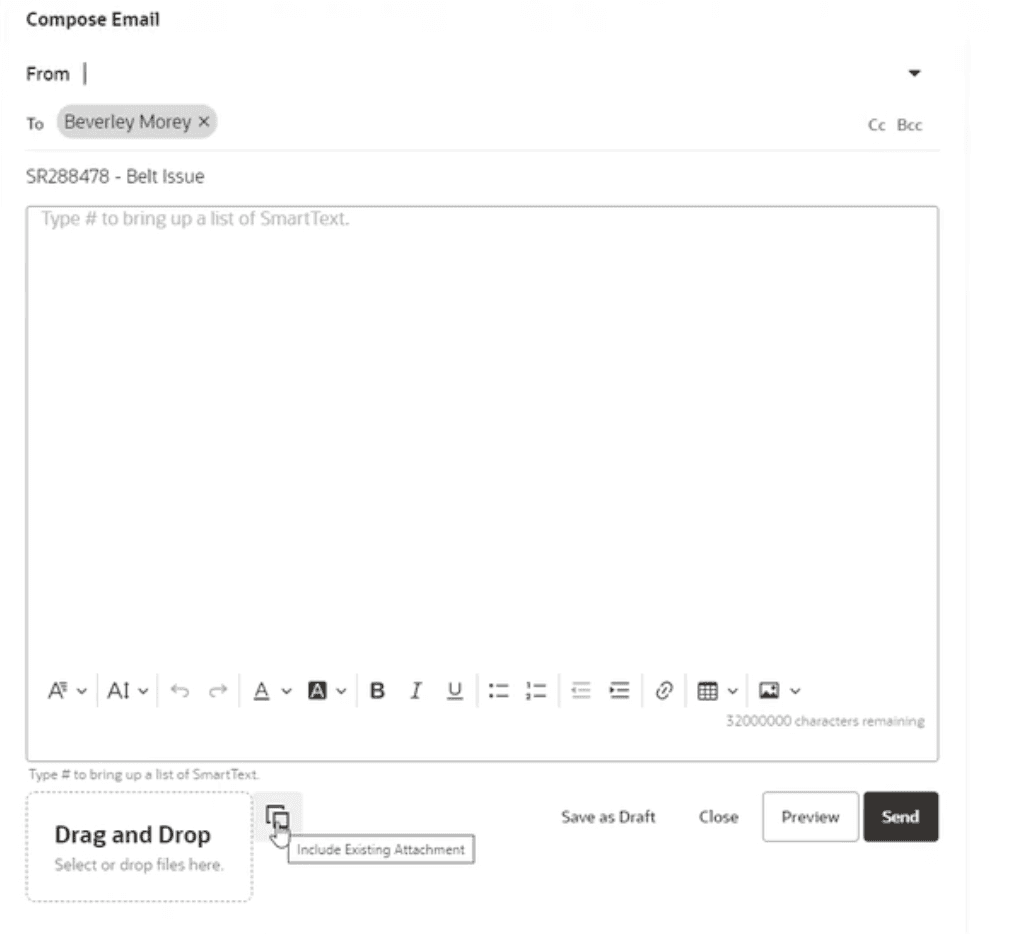
Insert existing attachments into new messages
Nothing needs to be done to enable this feature. It is a subtle feature that will allow agents to reference past attachments to messages.
Icon for the attachment below:
Final thoughts
Subtle improvement that I felt was worth mentioning as I can see it saving agents time from finding a past attachment and re uploading it.
Service Home page
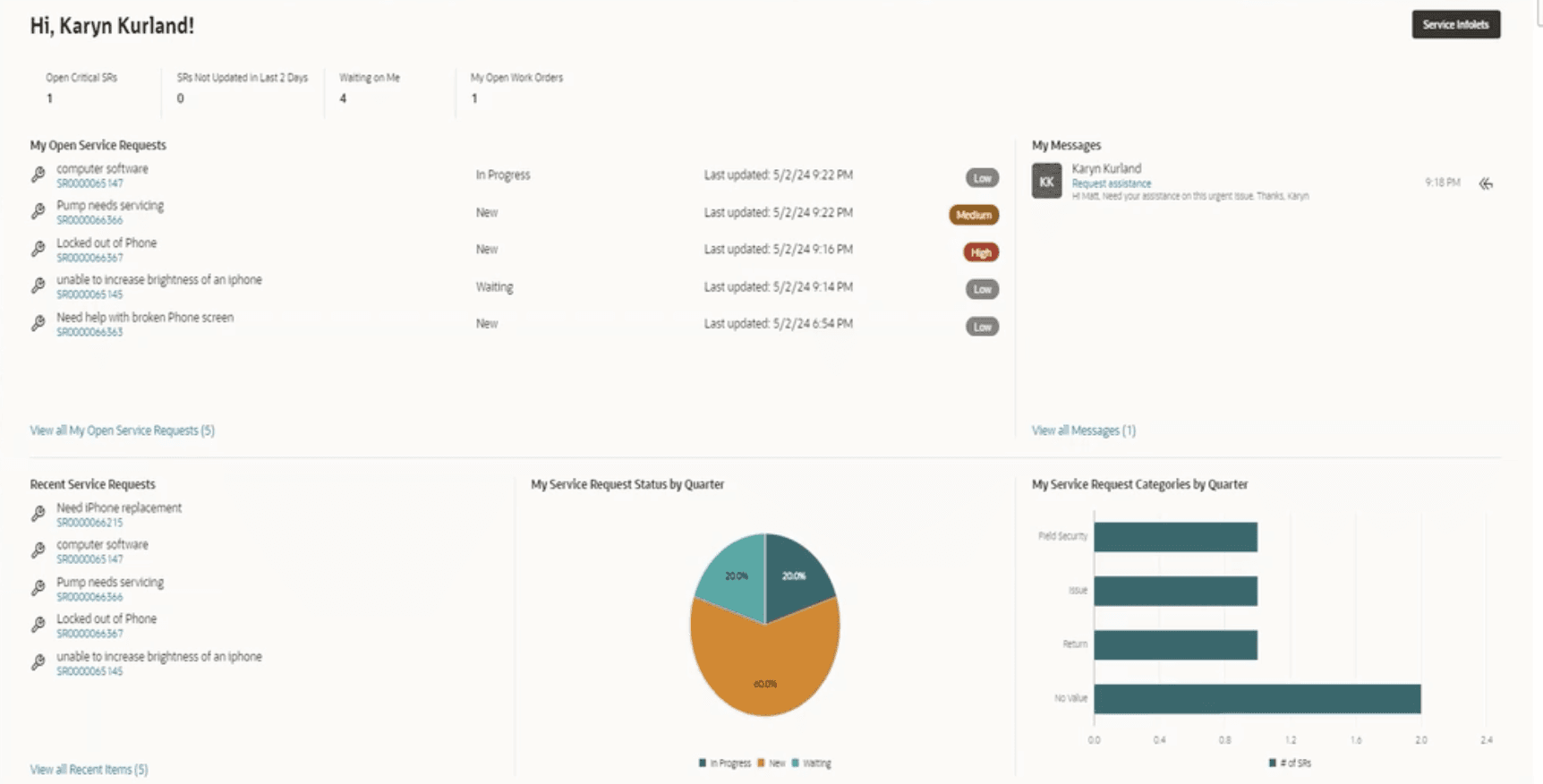
This page replaced the service search page from being the default home page. This page provides agents a whole new way of seeing their assigned work. They are able to see what work is open, messages and even get some SR categories. This area can be turned off through setup and maintenance.
Final thoughts
I see this new page as much needed improvement in the service user experience when it comes to managing service request.
Final thoughts… Really this time
Overall, I felt 24C had a lot of updates, but these were among the ones that stood out the most to me as they benefited the users in different ways. Some of these benefits could be summarized as functionality or an improved user experience. overall, I would say this release was a huge win for fusion service!