24D - My favorite key features
Fusion Service
Blog Owner and Author:
Cesar Guerrero
Fusion Service 24D Updates
As I work on renewing my certification, when it comes to studying for the Delta exams going through prior releases helps me. Therefore, even if 24D took place multiple released back I wanted to share my favorite updates from that release that I feel bring the most value to clients.
Generative AI
This has been one of the strongest areas when it comes to features that Oracle has become heavily invested in. So let's go through some of these key updates.
The ability to generate an account overview description is now available.
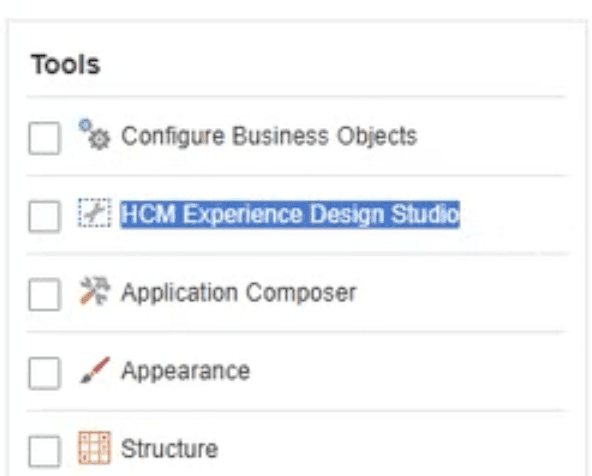
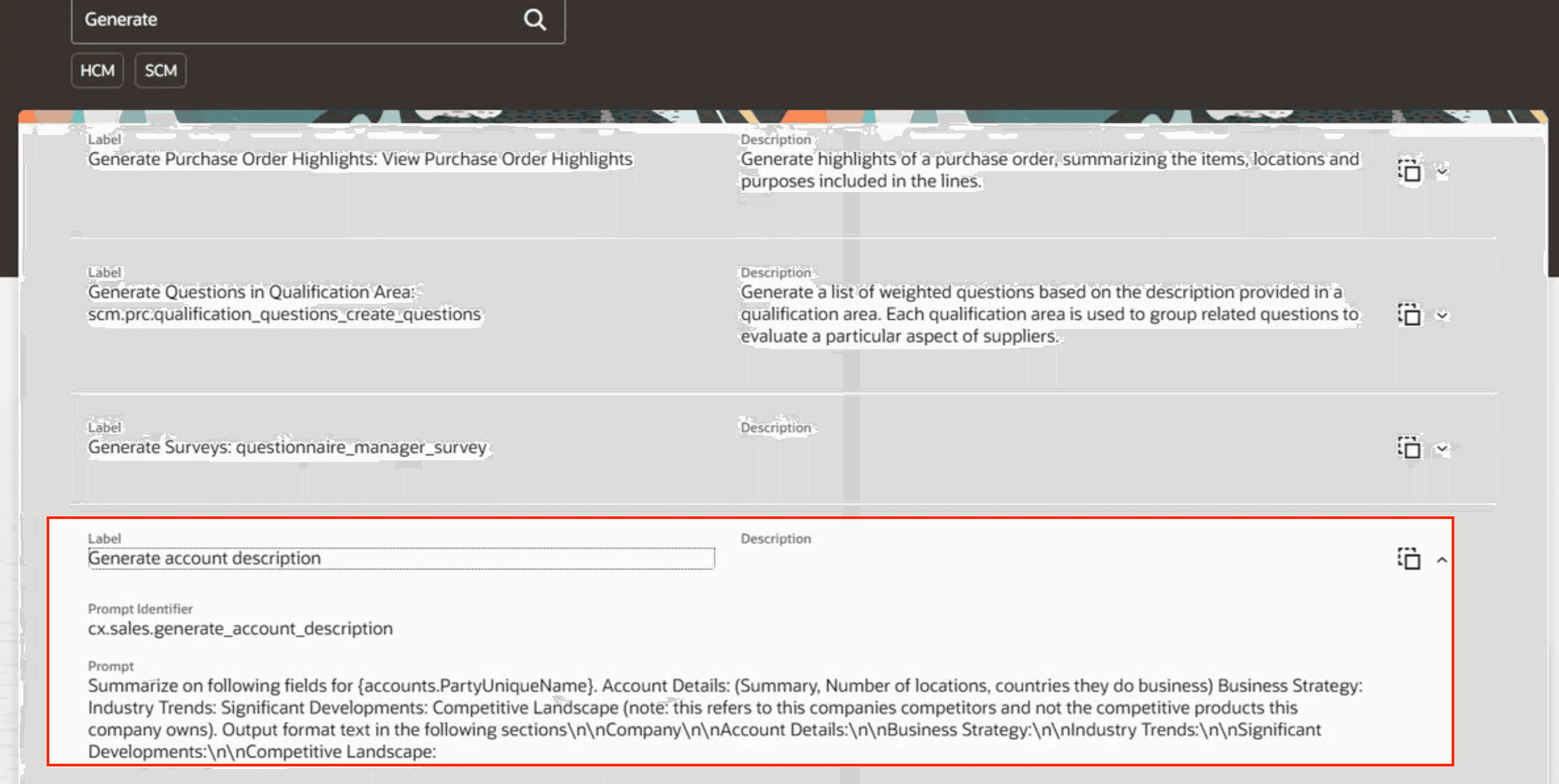
Summaries are generated on public information. This feature will require a sandbox, and app composer. Surprisingly when configuring this feature users will need to use the HCM Experience Design studio tool. Upon landing in the studio workplace there is an AI Configured that will have a list of seeded prompts. There will be a prompt called Generate Account description. Here administrators are able to override the current prompt, and preview it. There is one token used to execute the request. I can see this feature being used especially for sales or service reps trying to learn more about an account.
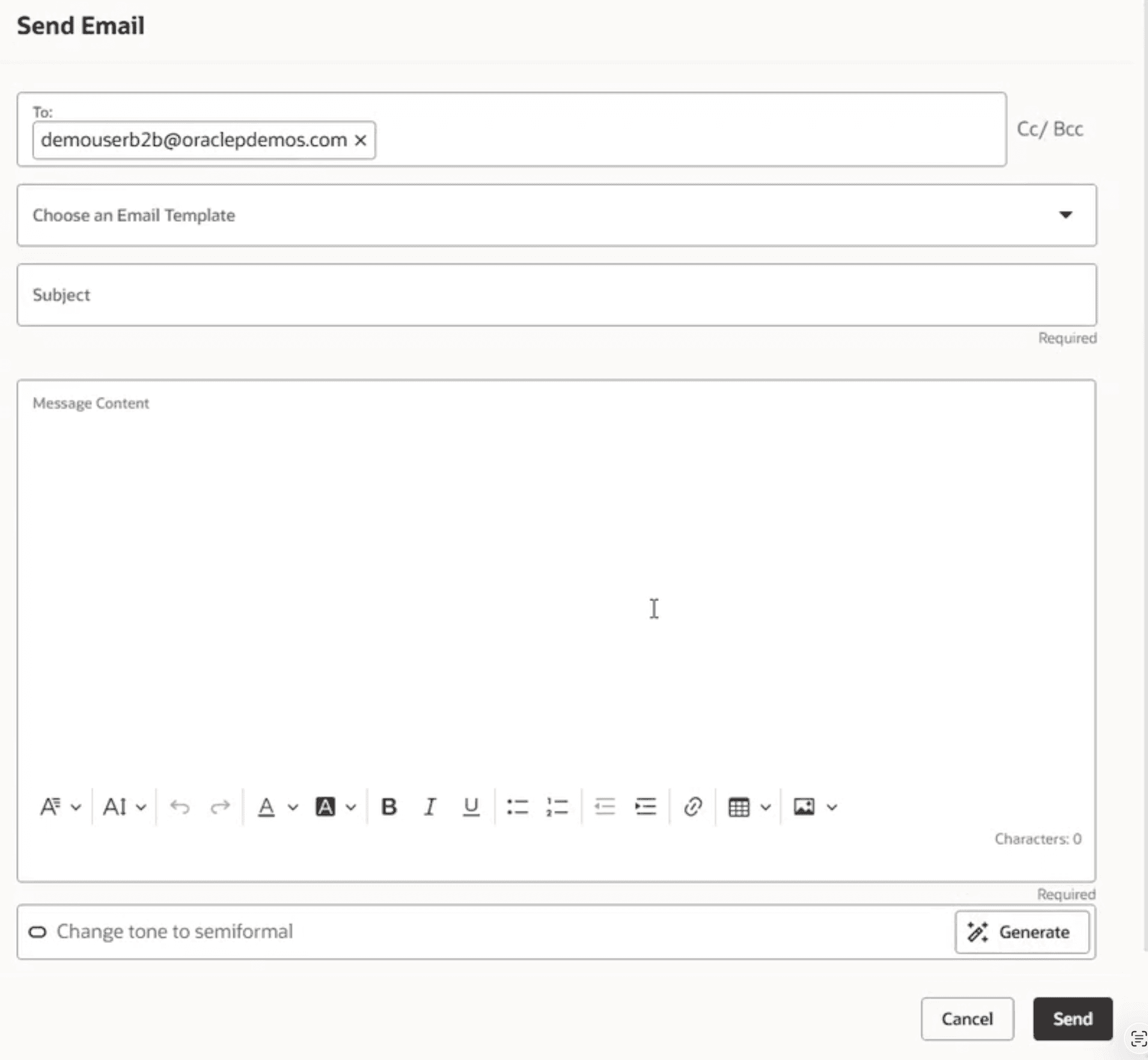
Users are now able to create email response through generative AI.
To get to this area in the action bar of an account users will need to search "send email" from the action bar. From the send email work area there will be button that says, "generate" towards the boom (Reference image below) of the screen. Users will need to add context on what they would like the email to say and select generate to get the email draft. This will allow users to save time responding without the need to go to another AI tool, or create an email from scratch without a template. I see this as a big time saving feature.
Search
Let's move on to a new feature around search. Search is one of the most important features in fusion if not the most important as it is the driving force when it comes to displaying records that users are using, whether sales or service any additional criteria or features here is a big help.
In this release the update is the ability to share private saved searches with other users
This feature will enable users to better collaborate with one another. In the past users were restricted to this and the only way to share a saved search was if an admin allowed a shared saved search. This is by far my favorite feature from this release.
Framework
The framework area is what allows new functionality in redwood and seeing these features advance gives me hope for more custom and tailored deliveries. This is crucial as in classic users were bound to ADF configurations but with these new features in redwood we are able to tailor OOTB features to client needs. In 24D there were two key items that stood out to me
Adding a category field to attachments this will allow users to categorize attachments.
This simple feature is what makes the difference for users when it comes to being able to stay organized and filtering.
The second key feature is the ability to add a child object to smart actions.
Prior to this users were bound to the OOTB actions such as edit and remove. But now administrators will be able to add custom actions that may be needed.

Service Request Management
If you made it this far I will now go over the service request area which is really what the delta will be mainly about however, throughout this blog I have shared new features that compliment the service. The rest of these updates will be specific to service.
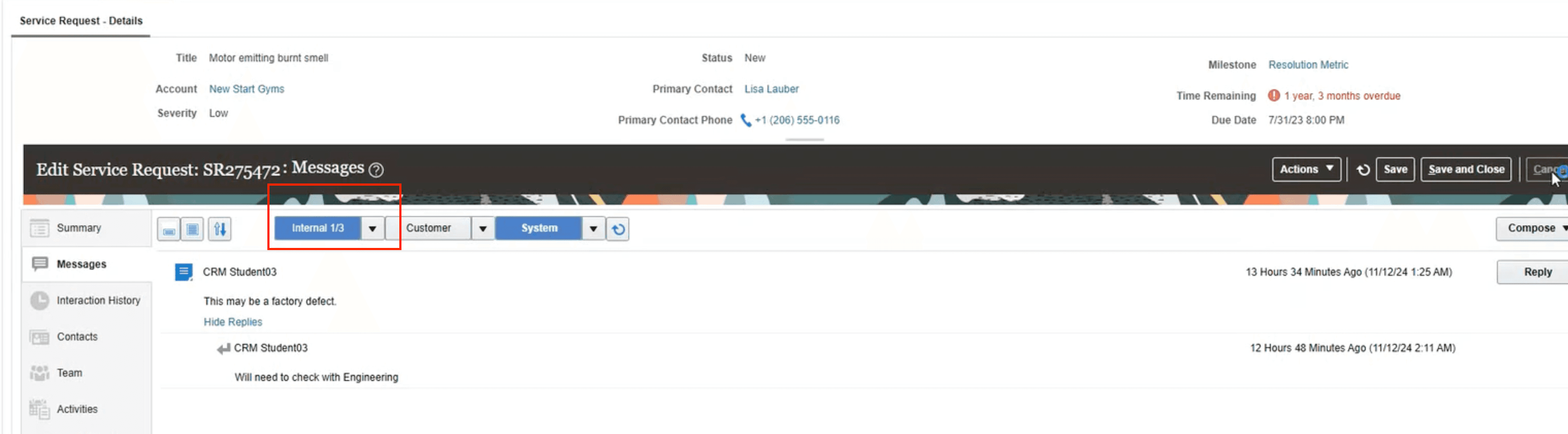
Note filtering within the messages area in service requests.
This stood out to me as it is an update to classic. As it stands there are less updates coming to the classic UI as Redwood is future and classic will retire in a 27 release. I saw value to this as agents have internal conversations with each other and having a way to filter on internal conversations could save a service agent from replying to the wrong thread.
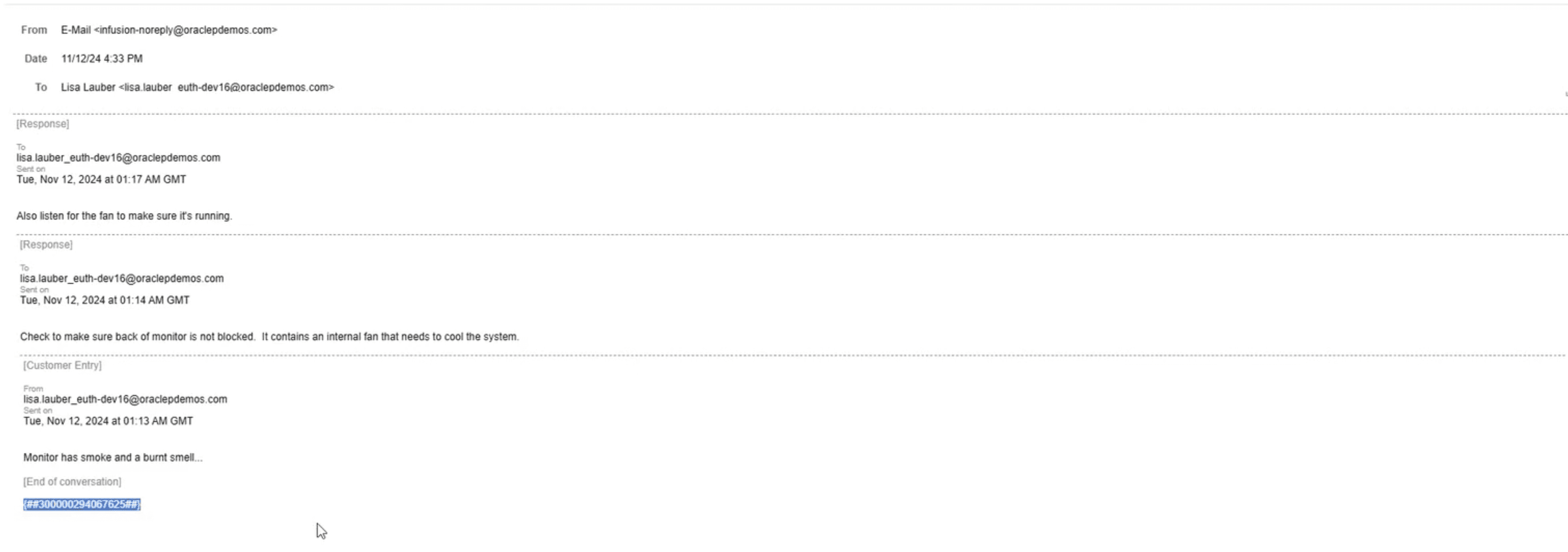
Being able to hide the message ID in a response email.
At the bottom of an email there are auto generated numbers that are meant to be internal. Now we are able to hide this portion of the email. Being able to hide it from customers will remove confusion for customers wondering what it is.
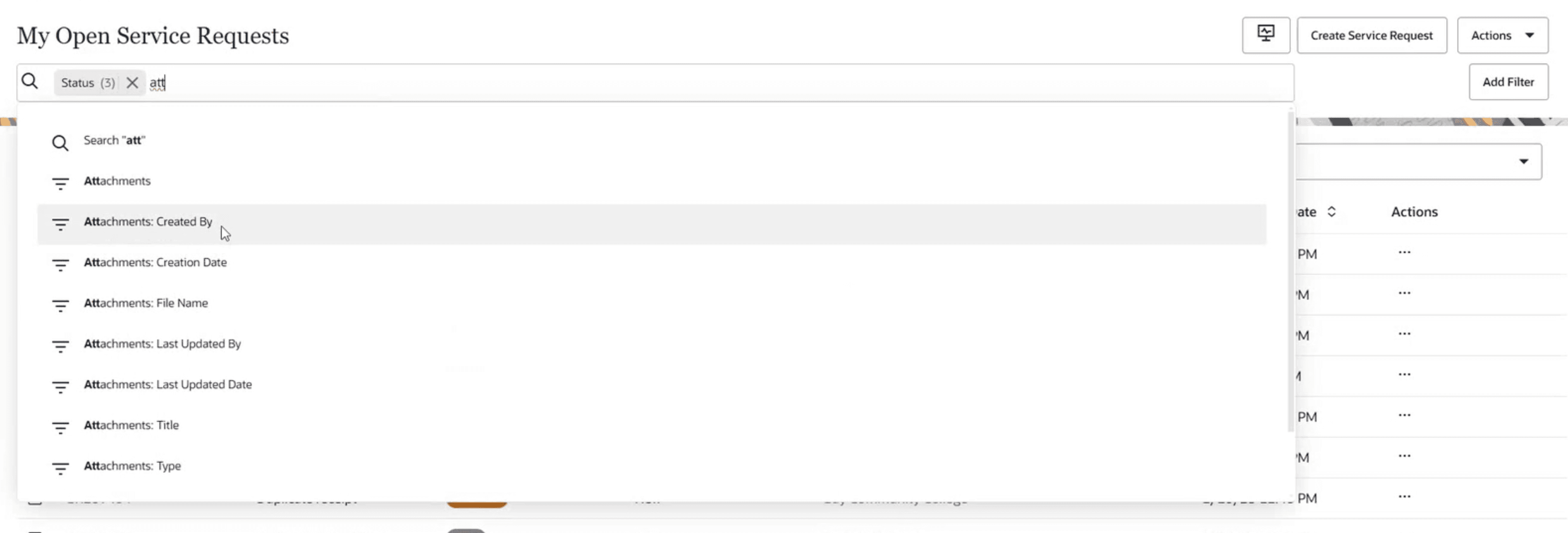
Attachment attributes being searchable in adaptive search.
Earlier I mentioned that attachments now has a category field but beyond that field users are now able to search on different attachment search criteria like the file name. In one of my past projects I had this request but we could not fulfill it do to product limitation so, I am happy to see feature finally be available.
Hot keys available for smart actions.
Hot keys have been available for a while in classic. One note I did see was depending on the browser, google chrome, Firebox may vary slightly. For this feature users are able to create a service request from the search page by pressing Alt, Shift, E. For save it is alt, shift, S and finally alt, shift, 6 prompts users to add an attachment. This could be beneficial to someone who does not want to use the action bar.
Overall, great release. Although some of these updates may seem minimal they really make a difference in the long run. I look forward to sharing more updates as I prepare for the delta. Thank you for reading!