25A - My Favorite Key Features from Fusion Service
Fusion Service
Blog Owner and Author:
Cesar Guerrero
Fusion Service 25A Updates
As I work on renewing my Delta Certification for fusion service I wanted to share some of the key updates I have found from Fusion Service specifically from the 25A release. These are my personal favorite items that I have in some shape or form had an issue in the past and feel Oracle is resolving or improving.
Classic UI
Hover tab details
starting with the Classic UI although Oracle has announced its retirement in 2027. I like the idea that for Oracle's current users in classic there are still improvements being made. One improvement that stood out was the Service Request (SR) hover tab details. Tabs now display additional information when a user hovers over the tab. The new details include the SR title, SR Severity and Account name. This will be helpful for service reps as they often have multiple issues they are handling and this will allow users to identify what SR they are selecting without clicking into the SR saving service reps time which as we know that in service, time is key.

Redwood
New Actions
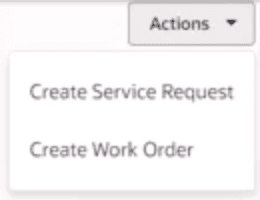
Redwood being the future of Fusion service it is important we go over the key highlights. The first item that stood out to me was in the Service Center home page there is now two new quick actions, Create Service Request, and Create Work Order. These new actions will enable service reps to quickly create an SR or WO without having to click into either search page. The benefit may seem minuscule but it will make a big difference for users needing to create a high volume of SRs a day. But what is an SR and WO? For those of you new to Service an SR is a customer issue. An SR will sometimes have a process already in place or Service Level Agreements (SLAs), and a work order is an order placed for a field service technician to support the client. This new feature is automatically initiated with the release but users will need to have the appropriate permissions to create both an SR and WO. Without the correct permission a user will not be able to see/create the WO or SR action.
Contact Search by Postal Address
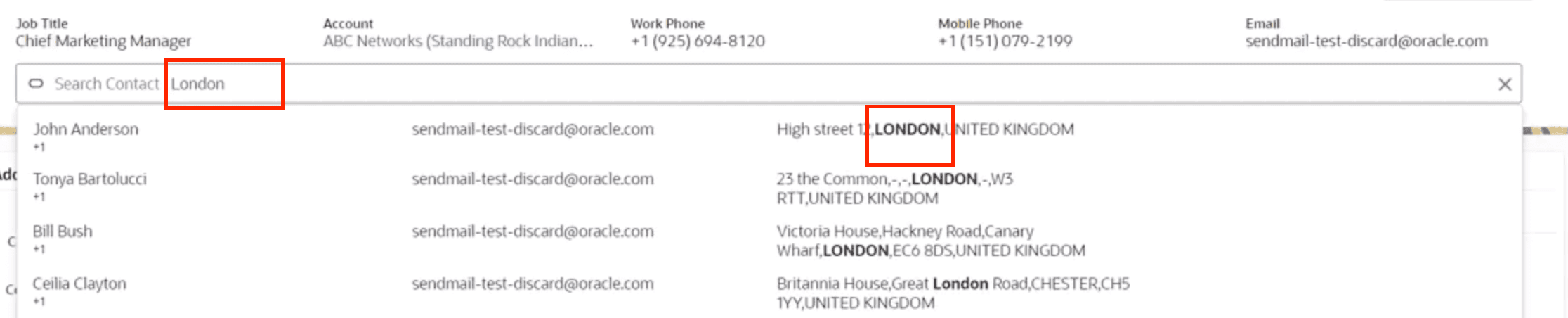
Users are now able to find contacts by their address in the service contact by searching their address in the action bar. This allows users to ensure that the correct contact is being selected as more search criteria is now available. This feature is automatically enabled with the 25A release. In the past I have had clients ask if more search criteria is available, and I have received this question for all of the core objects. Seeing the improvement gives me hope that additional search criteria will continue to grow as fusion service develops.
Improved Knowledge Search
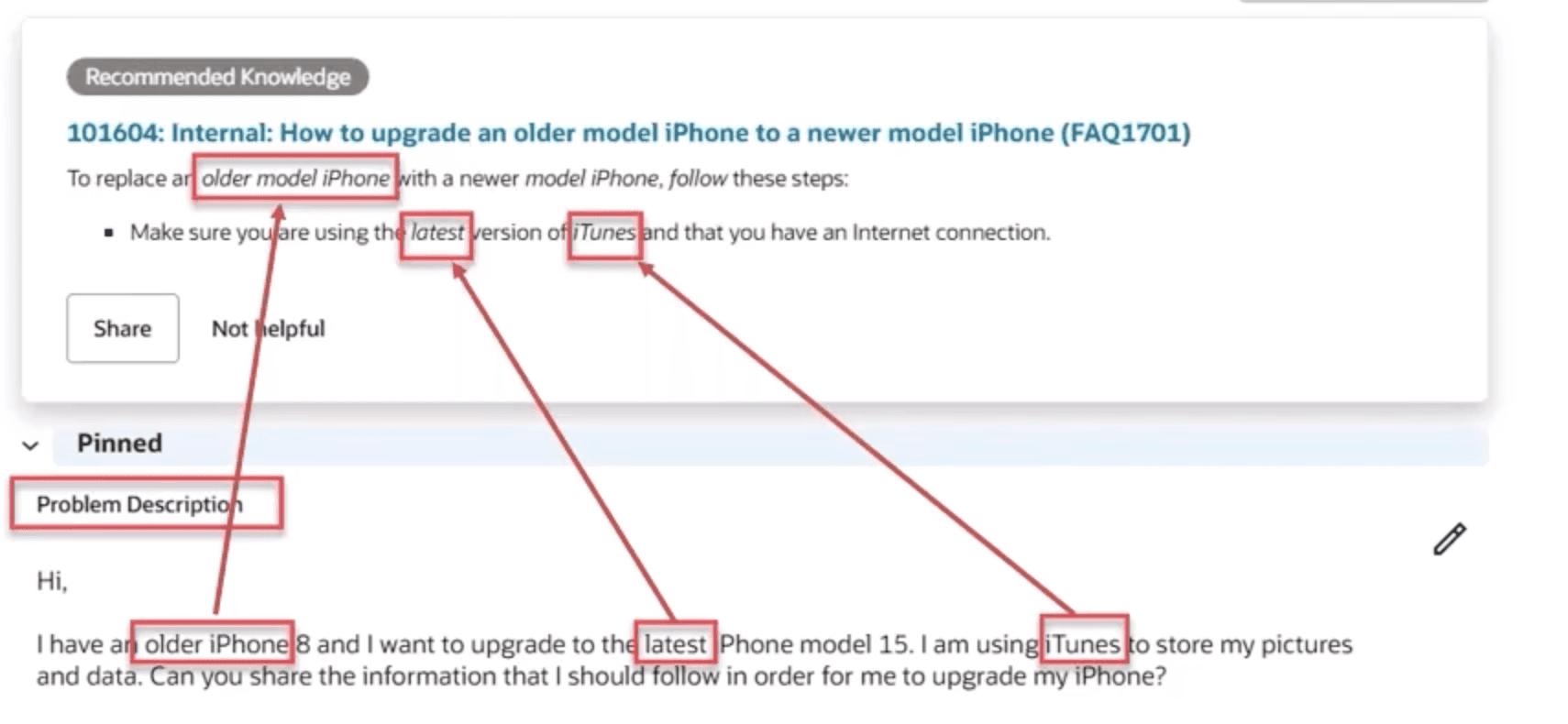
This is by far of one of my favorite improvements from this release! In the past clients have had to ensure that their service request title's were clear, searchable and precise as that was the key driver for searching a knowledge article deriving from an SR. However, with this new update users will now be able to search from the service request description. This will allow users to get more results especially for those articles with a poor title. This feature is automatically enabled in 25A. Below is an image displaying the values being pulled from the problem description onto the knowledge article.
Visual Builder
SR Create Page
Users are now able to customize the Service Request Create page enabling new sections. I personally ran into this issue when trying to customize the SR Create page in a demo environment. Now seeing this update I can see that the steps I was following were valid but the capability was just not possible at the time. This is a great update as the SR create page is essential to the service process as most businesses have their own custom create page with additional sections.
Case Management Analytics
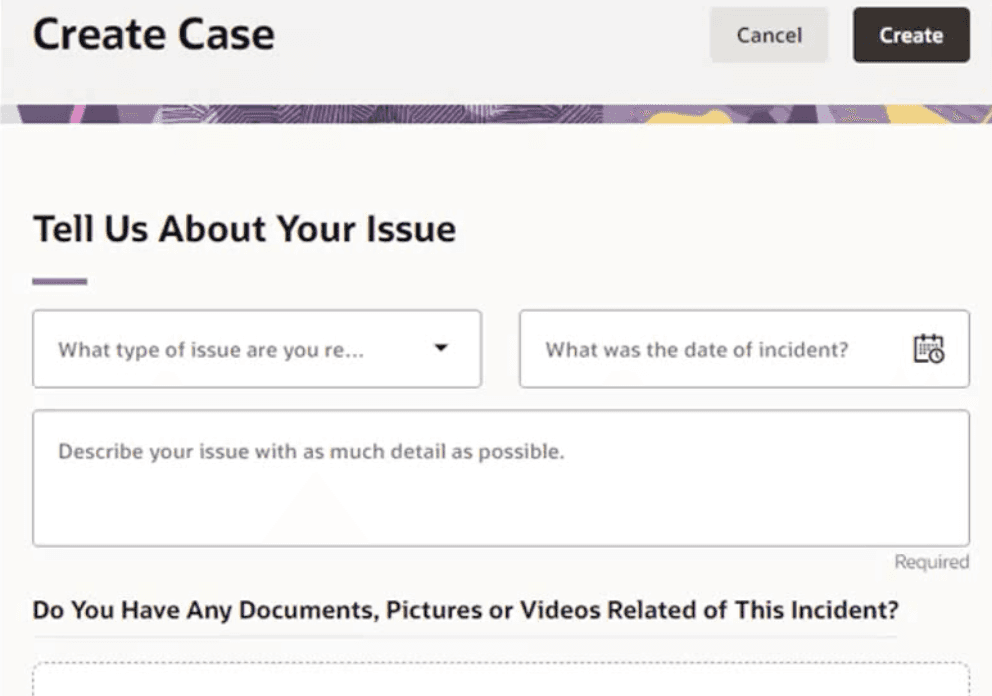
First let's start with what a case is because in Fusions Service Classic cases did not exist. A case is used to capture interactions like a complaint but does not have a lifecycle, and SLAs do not apply to cases like they would an SR. Another unique feature for cases is they can be internal, they do not need to be customer facing like an SR. So what was my favorite update for 29A case management, it was the new subject area in Oracle Transaction Business Intelligence (OTBI). This new subject area is called CRM/Help Desk - Case Management Relationship Real Time. The subject area will make it easier to report against service requests versus cases. In addition in order to see this subject area, users will need the appropriate security privilege to OTBI, and will be able to utilize pre built case reports or create new reports.
AI Features
With AI being a big component to Oracles Fusion Service Feature I added a summary of a few that stood out.
Maintain versions of drafts composed using generative AI. With this new feature users will be able to reference recent version of emails created with generative AI in order to save time writing emails.
Account Descriptions are now able to generate from a document like financial disclosures. This can now be done by typing generate account description from the action bar and uploading a PDF. In order to enable the Gen AI feature, in app composer enable account description from the action bar.

Tone for messages is now available when communicating with customers. Users can switch from a casual to a professional tone when drafting messages. In additional grammar and content summarization is also available within the same feature.
Final Thoughts
Overall these updates seem to better Fusion Services UX allowing users to work faster and more precisely. Whether in fusion classic or Redwood it is nice to know Oracle is actively making improvements on their products to enable implementers to fulfill requirements that used to be limitations. Lastly, I will be continuing to add my favorite updates for past and future releases so stay tuned.