Using Workspace in Oracle Fusion Sales to Navigate and Manage Opportunities
Fusion
Blog Owner and Author:
Cesar Guerrero
Overview
Workspace in Oracle Fusion Sales provides sellers with a centralized experience to navigate sales data, manage records, and complete daily tasks more efficiently. This page documents hands-on usage of Workspace and how it supports faster access to sales information compared to classic ADF pages.
Workspace Usage Scenario
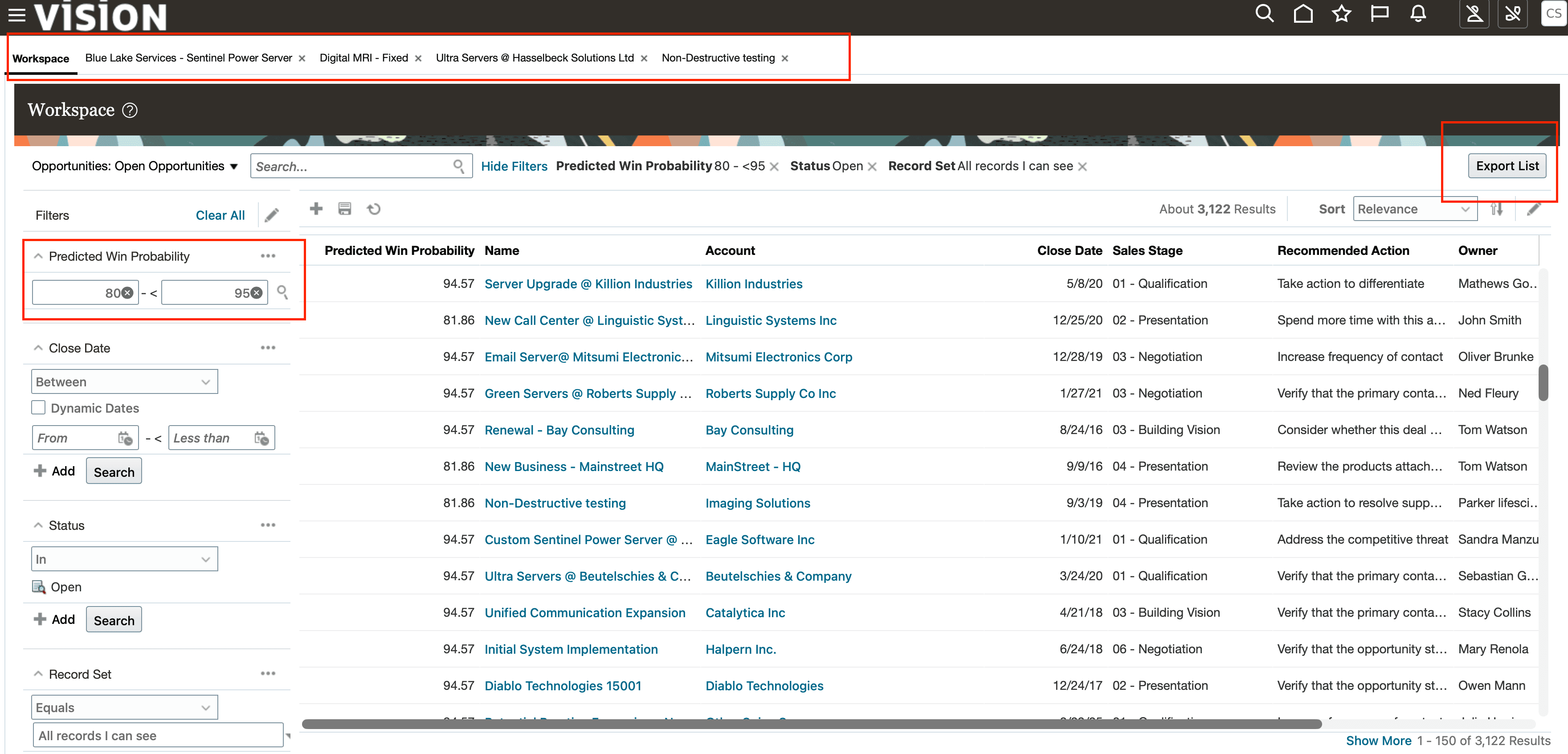
In this example, Workspace is used as a central area where sellers can navigate across different sales objects, create custom lists, export data, and apply filters to focus on relevant opportunities.
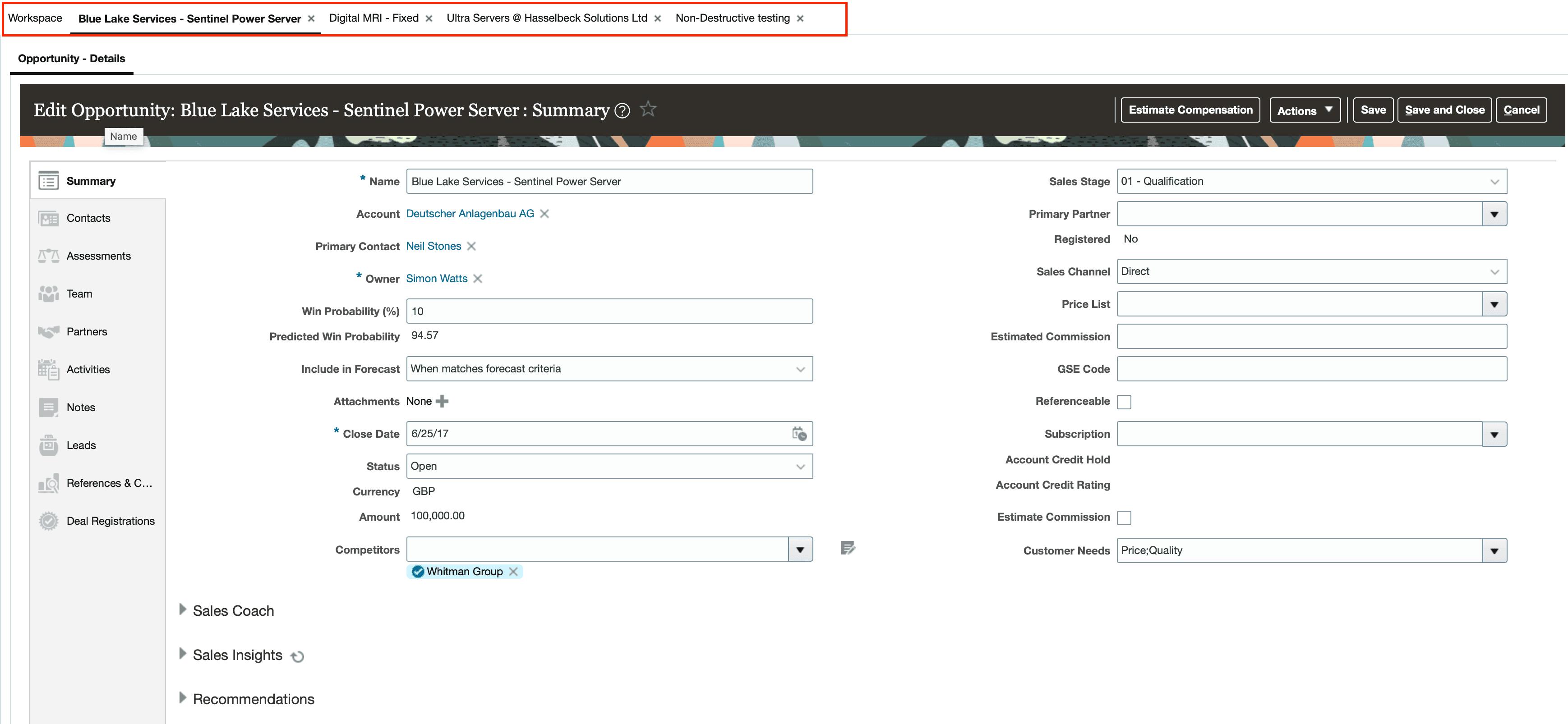
The Workspace interface allows multiple opportunity records to be opened in tabs, making it easier to move between records without repeatedly navigating back to search results or landing pages.
What Was Done
Using Workspace, I:
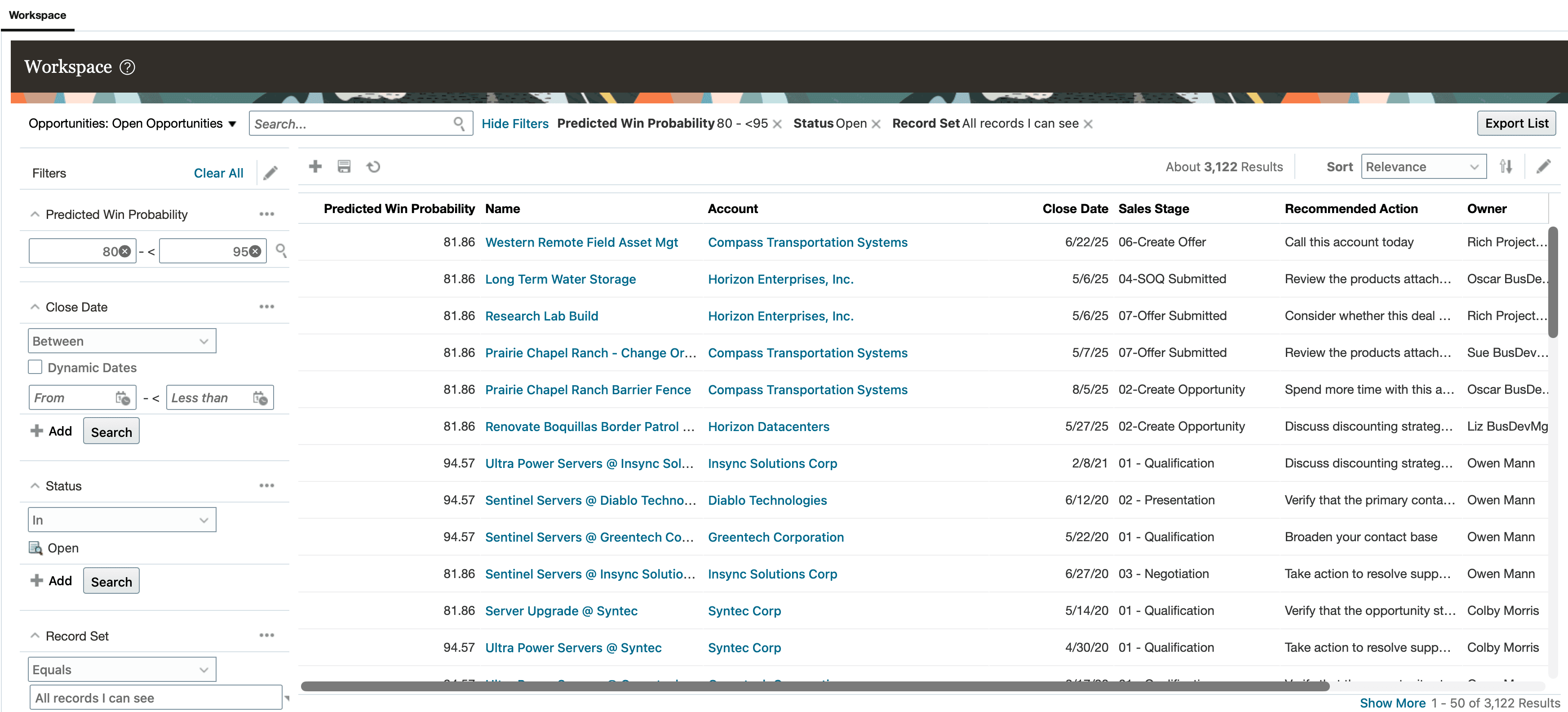
Accessed the Workspace landing page
Applied filters based on win probability
Customized visible columns to match seller needs
Drilled into opportunity records
Navigated between multiple open opportunities using tabs
All actions were performed directly within Workspace without switching to multiple classic pages.
Outcome
This approach reduced page navigation and provided immediate visibility into opportunity data. By keeping related records accessible within a single Workspace experience, sellers can move faster and stay focused on active deals.
Why This Matters
Workspace helps improve seller productivity by minimizing navigation overhead and enabling quicker access to relevant sales information. This is especially useful in environments where sellers manage a high volume of opportunities.