Creating and Managing Tasks in Oracle Fusion Sales
Fusion Sales
Blog Owner and Author:
Cesar Guerrero
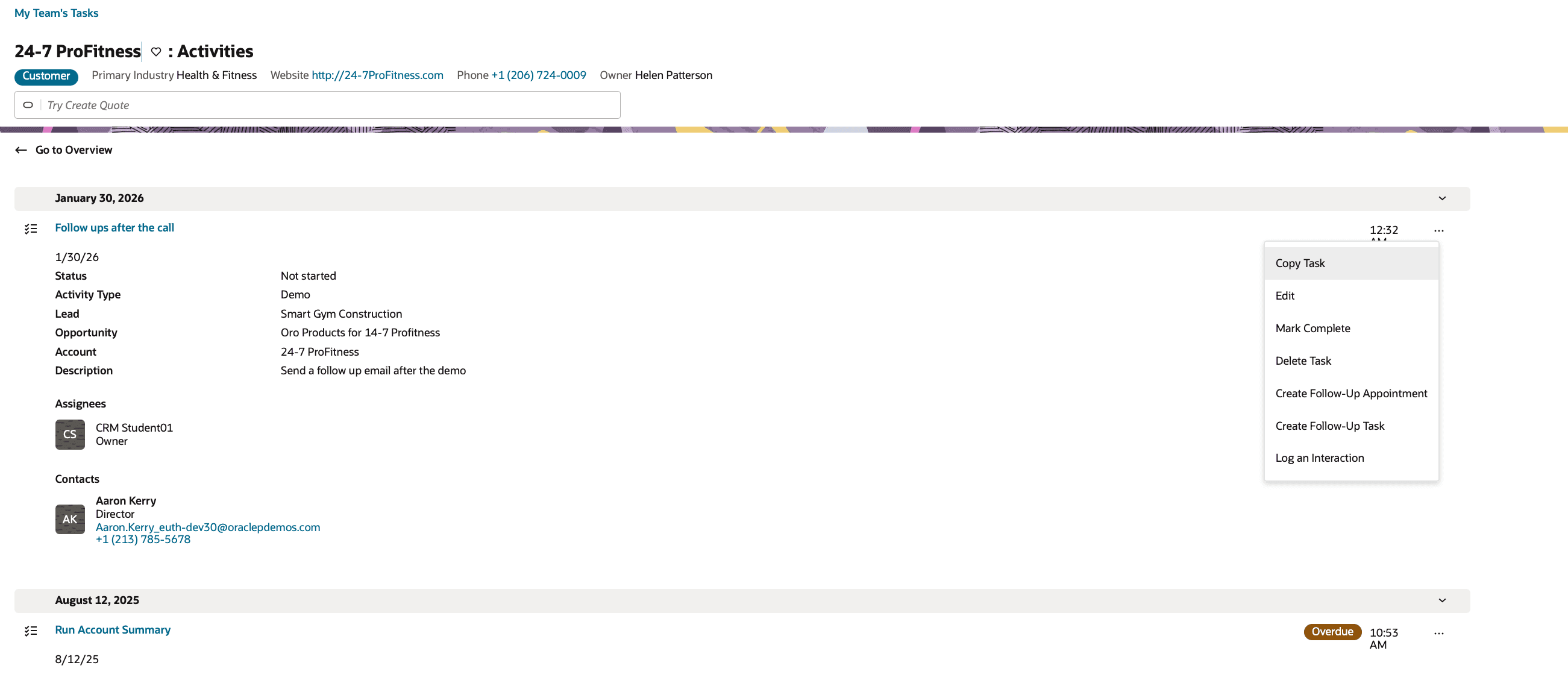
Tasks are part of the Activities framework in Oracle Fusion Sales and are used to track actions that sellers need to complete. While tasks are similar to appointments in look and structure, they are primarily focused on tracking follow-up work rather than scheduled meetings. Tasks are commonly created after calls or appointments to capture next steps and ensure work is completed.
What I Did
I created a task using the create page and associated it with an account named 24-7 ProFitness. The task creation experience is similar to creating an appointment, allowing consistent navigation and data entry across activity types. After saving the task, I navigated to the Activities tab to review the task within the related activities list.
Outcome / Observation
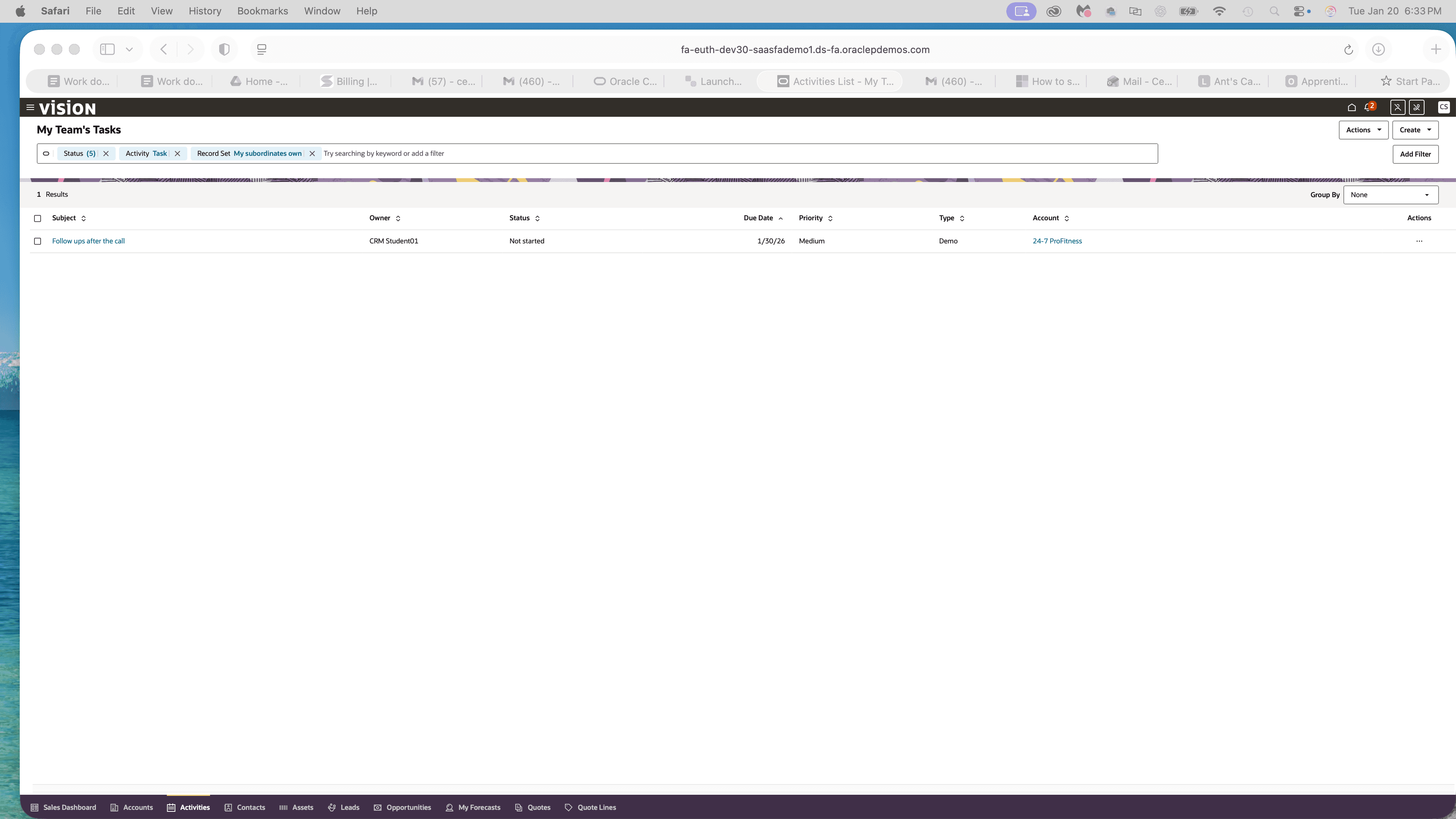
The task was visible within the Activities section and could be managed directly from the list. From this view, the task could be edited, marked as complete, copied, or deleted. This provides sellers with flexibility to manage their work without navigating away from the related record.

Why This Is Useful
Tasks help salespeople track follow-up actions and ensure important next steps are not missed after calls or meetings. By logging tasks and managing them directly within Activities, sellers can stay organized and maintain continuity across their sales interactions.